firmary, the command line
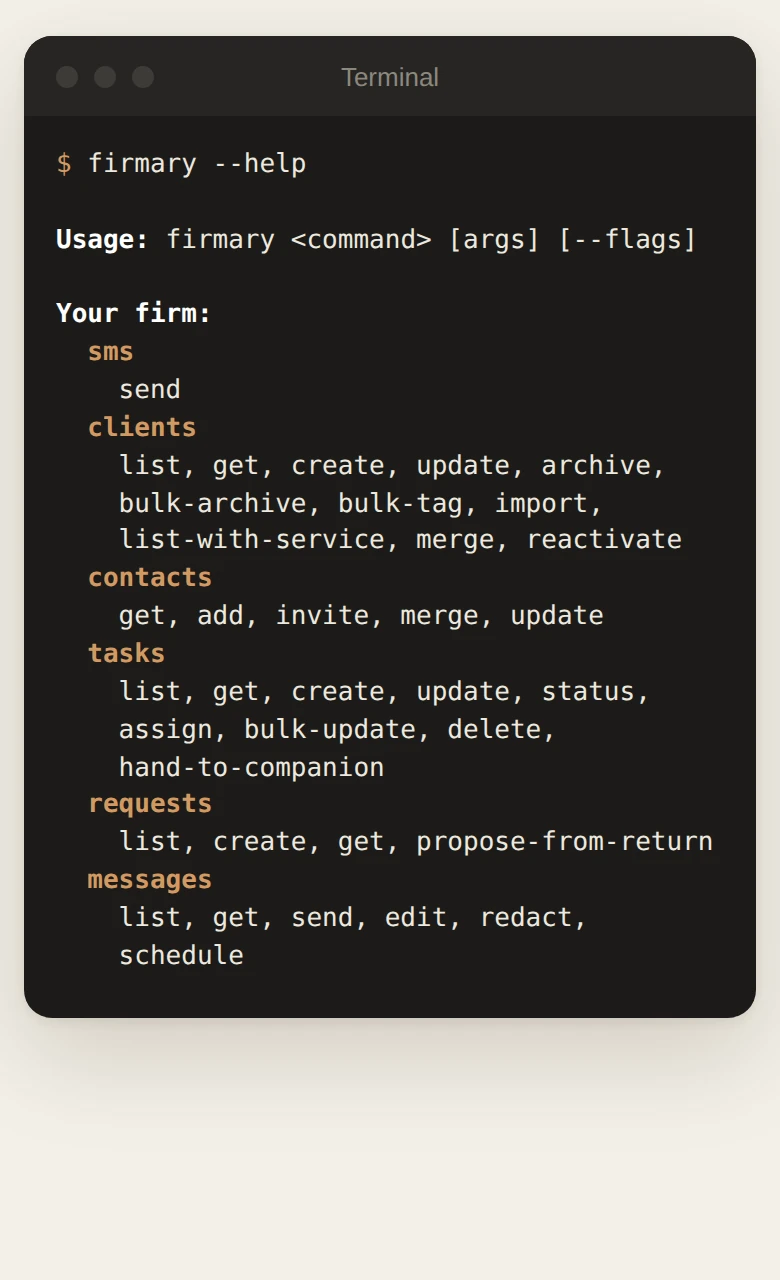
firmary is Firmary’s command line and terminal app: firm staff, their scripts and AI coding agents work in Firmary from a terminal, under the same permissions and approvals.

What it does
Staff find clients, work through the day and approve what their AI agents ask to do.
firmary uiopens a full‑screen app with Home, Clients, Requests, Messages, Billing and the approvals agents are waiting on.Adds Firmary to coding agents such as Claude Code, Codex, Cursor and VS Code over MCP.
Installs with one line, or with Homebrew or Scoop.
Who it’s for
Firm staff who like working in a terminal.
Developers and AI coding agents such as Claude Code, Codex and Cursor.
How it works
- 1
Install it from the download page.
- 2
Run
firmary auth loginand sign in with your Firmary staff account. - 3
Run
firmary --helpto see every command.
What’s included
Commands for clients, contacts, tasks, requests, messages, invoices, engagements, staff and approvals.
Every operation the installed version knows, with
firmary op run, and any/api/v1path withfirmary api.firmary mcp install, and shell completion for bash, zsh, fish and PowerShell.
Details
- Install: macOS, Linux
curl -fsSL https://firmary.app/install.sh | sh- Install: Windows
powershell -c "irm https://firmary.app/install.ps1 | iex"- Builds
- macOS (Apple silicon and Intel), Linux (x86‑64 and Arm), Windows (x86‑64 and Arm)
- Needs
- A Firmary staff account
Limits
Not sold on its own: it comes with Firmary.
It isn’t code‑signed yet, so macOS or Windows may warn you the first time a copy downloaded in a browser runs.
Price
Comes with Firmary, from $125 a month for one person
It downloads from firmary.app and signs in with a Firmary staff account. It isn’t sold on its own. Solo is $125 a month for one person, plus $85 for each person you add. Practice is $400 a month for five people, plus $80 for each person you add. Firms of 20 or more people can request a quote.
Questions
- What does firmary, the command line cost?
- Comes with Firmary, from $125 a month for one person. It downloads from firmary.app and signs in with a Firmary staff account. It isn’t sold on its own. Solo is $125 a month for one person, plus $85 for each person you add. Practice is $400 a month for five people, plus $80 for each person you add. Firms of 20 or more people can request a quote.
- Can AI coding agents use it?
- Yes.
firmary mcp installadds Firmary to Claude Code, Codex, Cursor or VS Code. Name the one you use with--client. - What if an agent needs approval?
- Exit code 7 means your request is waiting for approval. A person approves it in Firmary.
- Do I need administrator rights to install it?
- No. The install scripts check each download’s SHA‑256 checksum and install it for you alone.
Support
Email support@firmary.app, or start from Firmary’s help and setup page.
Goes with
- Your own AI in FirmaryWith FirmaryFirm staff can work in Firmary from Claude, ChatGPT or Codex, within their own permissions, under rules the firm sets for each agent.
- API and webhooksWith FirmaryFirmary has an API and webhooks, so a firm’s own software can read and update records and react to events.
- Firmary SwitchWith FirmaryFirmary Switch is a Chrome extension that reads a firm’s records out of the tools it uses today and brings them into Firmary.
Checked against the running product on November 17, 2026. Questions: support@firmary.app. Everything Firmary offers