Insights
Insights gives a firm dashboards and charts over its own figures in Firmary, and a chart can open the records behind its figures, depending on the measure.

What it does
Dashboards and charts cover billing, time, clients, engagements and tasks, document requests, signatures, messages and prospects.
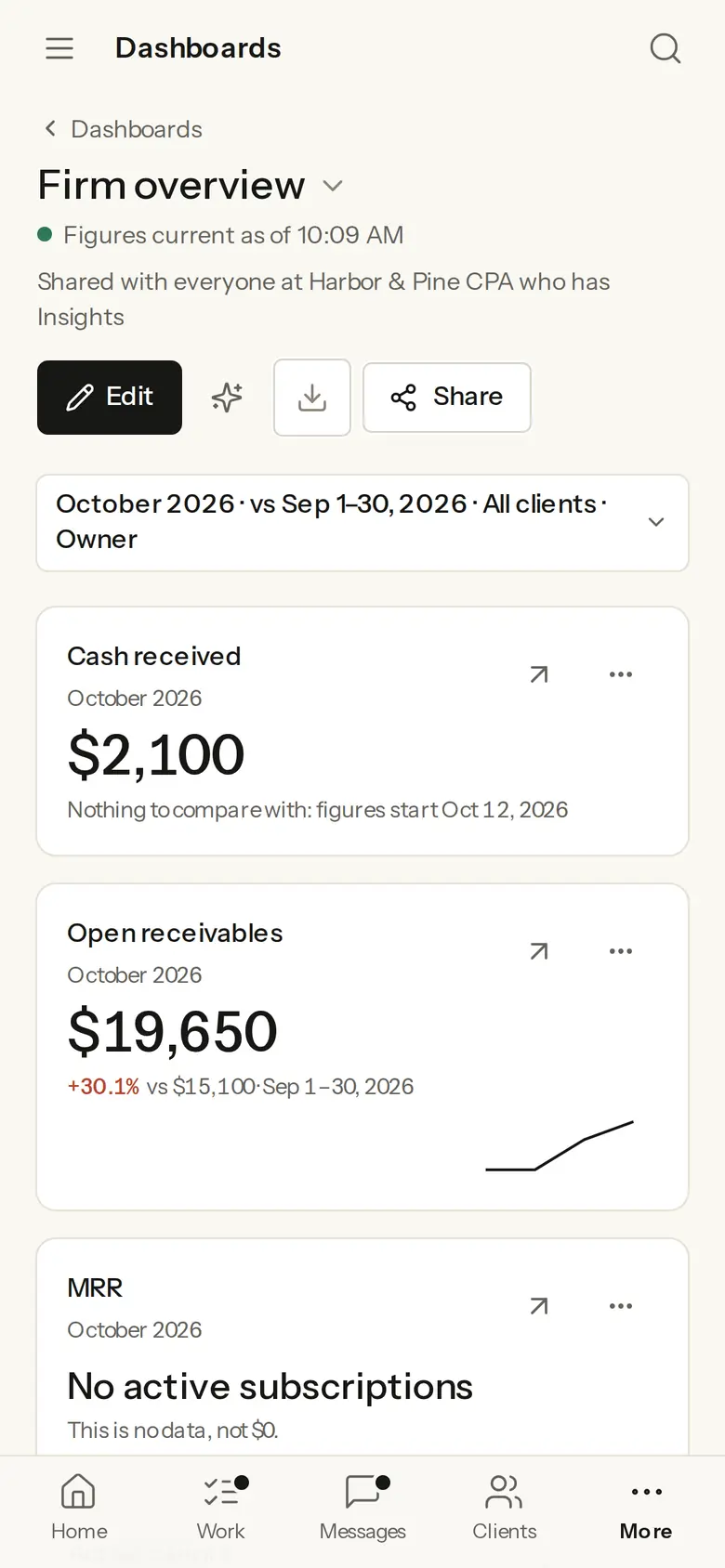
Insights opens on the Firm overview: last month’s figures, each against the month before, such as cash received, open receivables, overdue tasks, utilization and clients waiting for a reply.
Who it’s for
Owners who want the firm’s numbers without building spreadsheets.
Managers who need to see overdue work and how much of the team’s time is billable.
How it works
- 1
Open Insights in Firmary and choose a dashboard, or edit one with your own charts.
- 2
Share a dashboard with the team.
What’s included
The Firm overview comes ready, and you can build your own dashboards from saved charts.
A dashboard can be shared with everyone at the firm who has Insights.
Details
- Figures from
- The firm’s own records in Firmary
Limits
Not sold on its own: it comes with Firmary.
Price
Comes with Firmary, from $125 a month for one person
It isn’t sold on its own. Solo is $125 a month for one person, plus $85 for each person you add. Practice is $400 a month for five people, plus $80 for each person you add. Firms of 20 or more people can request a quote.
Questions
- What does Insights cost?
- Comes with Firmary, from $125 a month for one person. It isn’t sold on its own. Solo is $125 a month for one person, plus $85 for each person you add. Practice is $400 a month for five people, plus $80 for each person you add. Firms of 20 or more people can request a quote.
- How is utilization worked out?
- Billable hours on days with scheduled capacity, divided by that capacity.
- Can we chart our clients’ books?
- Not yet. Clients’ books in Insights is built but not released, so Insights charts your firm’s own records in Firmary, not the books in a client’s QuickBooks Online company.
Support
Email support@firmary.app, or start from Firmary’s help and setup page.
Goes with
- Invoices, payments and timeWith FirmaryFirms invoice from the client record in Firmary and record time against client work and budgets. When the firm’s Stripe account is connected and ready, clients can pay online through Stripe.
- ConnectionsWith FirmaryFirmary connects to the mail, calendar, file storage, ledger, payments and phone systems a firm already uses.
- Work, workflows and recurring workWith FirmaryEngagements in Firmary move through the firm’s own workflow stages, recurring work opens on a schedule, and each person gets a Today list.
Checked against the running product on November 17, 2026. Questions: support@firmary.app. Everything Firmary offers