Your own AI in Firmary
Firm staff can work in Firmary from Claude, ChatGPT or Codex, within their own permissions, under rules the firm sets for each agent.

What it does
Staff look up clients, documents, invoices, tasks and time, and make changes, from a conversation.
Five areas control what agents can do within their existing access: drafts, notes, changing client records and updating tasks, sending or publishing to clients (including creating or assigning tasks), and payments and refunds. The firm sets each to On its own, Asks first or Never.
Every action an agent takes is logged where owners can see it.
The firm’s owner decides which AI apps may connect and what each may do.
Inside Firmary, AI drafts message replies that name what the client still owes and suggests next steps, with a person approving each change.
Who it’s for
Firms whose staff already work in Claude, ChatGPT or Codex.
Owners who want AI to do routine work under rules they set, with a record of every action.
How it works
- 1
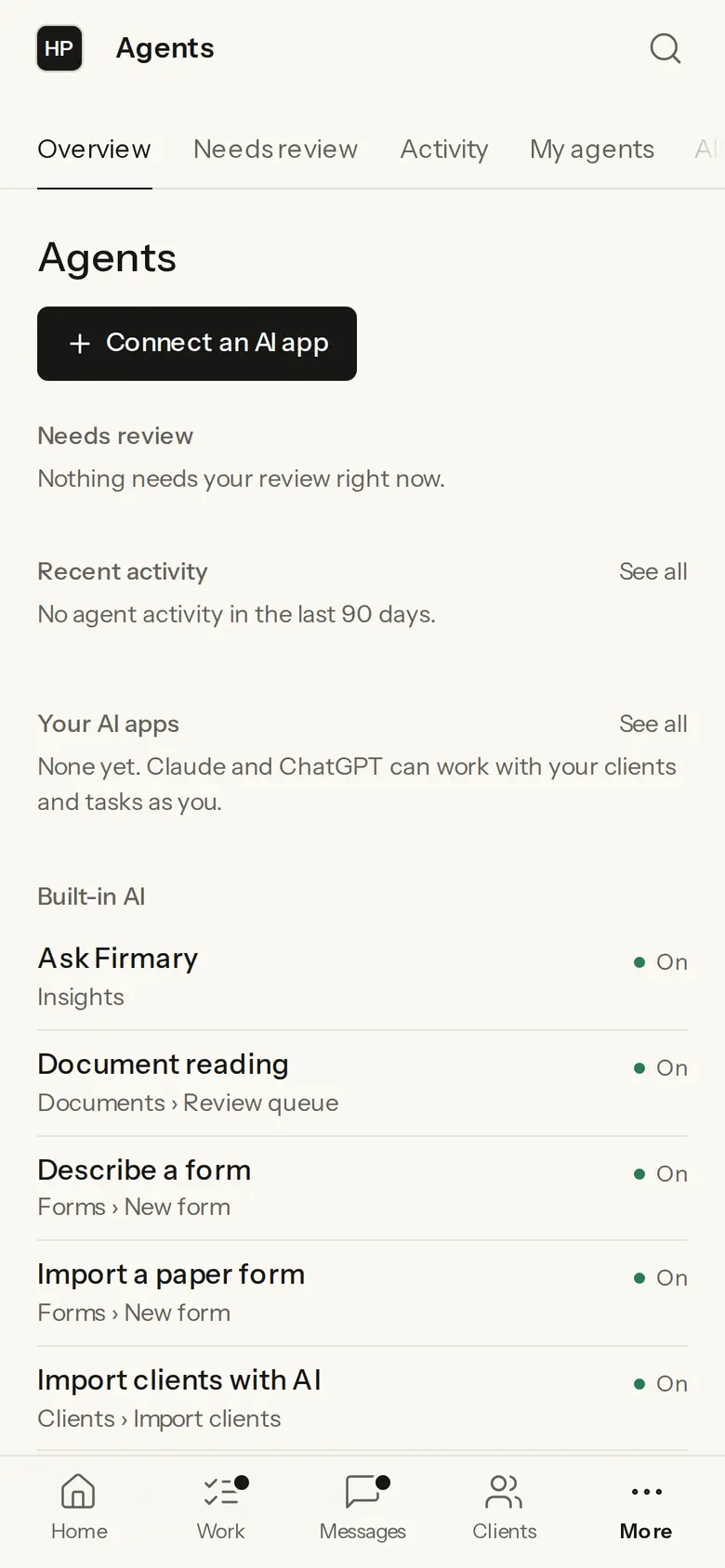
In Firmary, open Agents and choose Connect an AI app.
- 2
Pick Claude, ChatGPT or Codex, and follow the page’s steps to add Firmary to it.
- 3
Staff connect the app with their own Firmary sign‑in and work from a conversation.
What’s included
Connections for Claude (web, desktop, mobile and Claude Code), ChatGPT and Codex, and the MCP server for other agents.
Needs review lists the changes agents ask to make, and each agent has a page with its rules and the work handed to it.
Built‑in AI that can be switched on or off: Ask Firmary, document reading, describing a form, importing a paper form and importing clients.
Details
- Apps
- Claude (web, desktop, mobile and Claude Code), ChatGPT and Codex
- Agent rules
- On its own, Asks first or Never, set for drafts, notes, changing client records and updating tasks, sending or publishing to clients (including creating or assigning tasks), and payments and refunds, within each agent’s existing access
- MCP server
- https://os.firmary.app/api/mcp, listed in the official MCP Registry as app.firmary/mcp
Limits
Not sold on its own: it comes with Firmary.
Staff use their own Claude, ChatGPT or Codex account; Firmary doesn’t include one.
An agent can only do what its person is allowed to do in Firmary.
Price
Comes with Firmary, from $125 a month for one person
It isn’t sold on its own. Solo is $125 a month for one person, plus $85 for each person you add. Practice is $400 a month for five people, plus $80 for each person you add. Firms of 20 or more people can request a quote.
Questions
- What does Your own AI in Firmary cost?
- Comes with Firmary, from $125 a month for one person. It isn’t sold on its own. Solo is $125 a month for one person, plus $85 for each person you add. Practice is $400 a month for five people, plus $80 for each person you add. Firms of 20 or more people can request a quote.
- Which AI apps can connect?
- Claude (web, desktop, mobile and Claude Code), ChatGPT and Codex. It works in ChatGPT Business, Enterprise and Edu on the web, and can only read in ChatGPT Pro. In a Business workspace an admin or owner adds it, and in Enterprise and Edu an admin can also let members add it.
- Can an agent act without asking?
- Only for the kinds of action the firm sets to On its own. Looking things up never needs approval, and changes to people, access and sign‑ins always ask first.
- Do we have to use AI?
- No. A firm can do all its work directly in Firmary.
Support
Email support@firmary.app, or start from Firmary’s help and setup page.
Goes with
- FirmaryFrom $125 a month for one personFirmary is practice management software for US accounting, tax and bookkeeping firms, built for people and AI agents to work on the same client records, with PocketFirm as the client app under each firm’s brand.
- firmary, the command lineWith Firmaryfirmary is Firmary’s command line and terminal app: firm staff, their scripts and AI coding agents work in Firmary from a terminal, under the same permissions and approvals.
- API and webhooksWith FirmaryFirmary has an API and webhooks, so a firm’s own software can read and update records and react to events.
Checked against the running product on November 17, 2026. Questions: support@firmary.app. Everything Firmary offers