Forms and organizers
Firms build their own client forms in Firmary from scratch, by describing the form they need or from an existing fillable PDF, and gather them in organizers.

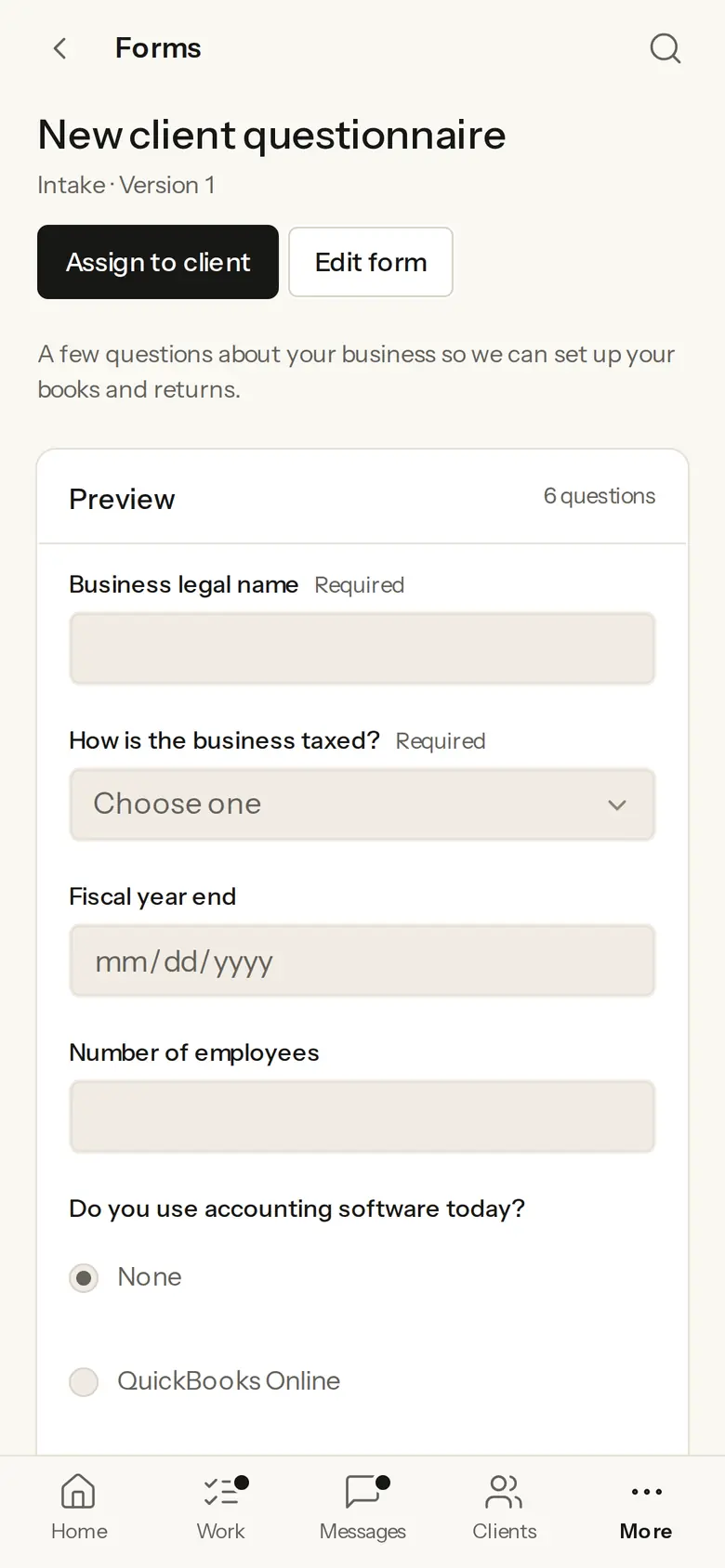
What it does
Build a form, describe the form you need and have Firmary draft it, or turn a fillable PDF into a form.
Share a form by link or embed it on the firm’s website, with spam held for review.
Each engagement has an organizer that gathers its forms and document requests, so the firm and the client see what is still outstanding.
With an automation, a form answer can create a task.
Who it’s for
Firms that send organizers and questionnaires every year.
Firms that want an intake form on their own website.
How it works
- 1
In Firmary, open Requests, then Forms, and choose New form.
- 2
Build it, describe the form you need, or turn a fillable PDF into a form.
- 3
Assign it to a client, share it by link or embed it on your website.
What’s included
Describe the form you need and Firmary drafts it; you review each proposed change before it’s applied.
Import a fillable PDF and it becomes a form, without the answers already written on it unless you keep them.
Every answer to a shared or embedded form gets a spam check, and possible spam waits for review.
Limits
Not sold on its own: it comes with Firmary.
A form answer starts work only through the automations the firm sets up.
Price
Comes with Firmary, from $125 a month for one person
It isn’t sold on its own. Solo is $125 a month for one person, plus $85 for each person you add. Practice is $400 a month for five people, plus $80 for each person you add. Firms of 20 or more people can request a quote.
Questions
- What does Forms and organizers cost?
- Comes with Firmary, from $125 a month for one person. It isn’t sold on its own. Solo is $125 a month for one person, plus $85 for each person you add. Practice is $400 a month for five people, plus $80 for each person you add. Firms of 20 or more people can request a quote.
- Can we use our existing PDF forms?
- Yes, if they’re fillable PDFs. Firmary reads the PDF in your browser and turns its fields into a form.
- Can a form go on our website?
- Yes. Embed it on your website or share its link. With Prospects on, accepted responses can create or update a prospect, after a spam check that holds possible spam for review.
- Do clients need an account to answer?
- Not for a shared or embedded form: anyone with the link can answer it. A form you assign to a client is answered in PocketFirm.
Support
Email support@firmary.app, or start from Firmary’s help and setup page.
Goes with
- Document requests and tax‑form readingWith FirmaryFirmary sends clients document requests with instructions and due dates, and reads the tax forms they send for a person to check.
- Work, workflows and recurring workWith FirmaryEngagements in Firmary move through the firm’s own workflow stages, recurring work opens on a schedule, and each person gets a Today list.
- ProspectsWith FirmaryProspects is Firmary’s built‑in pipeline for people who aren’t clients yet, on the firm’s own boards and stages.
Checked against the running product on November 17, 2026. Questions: support@firmary.app. Everything Firmary offers